Week 2: Pilot Feedback
Our first pilot left us with a list of feedback that we spent this week churning through. We’re currently focused on making the experience as intuitive and delightful as possible for the user.
01 Notifications, redesigned
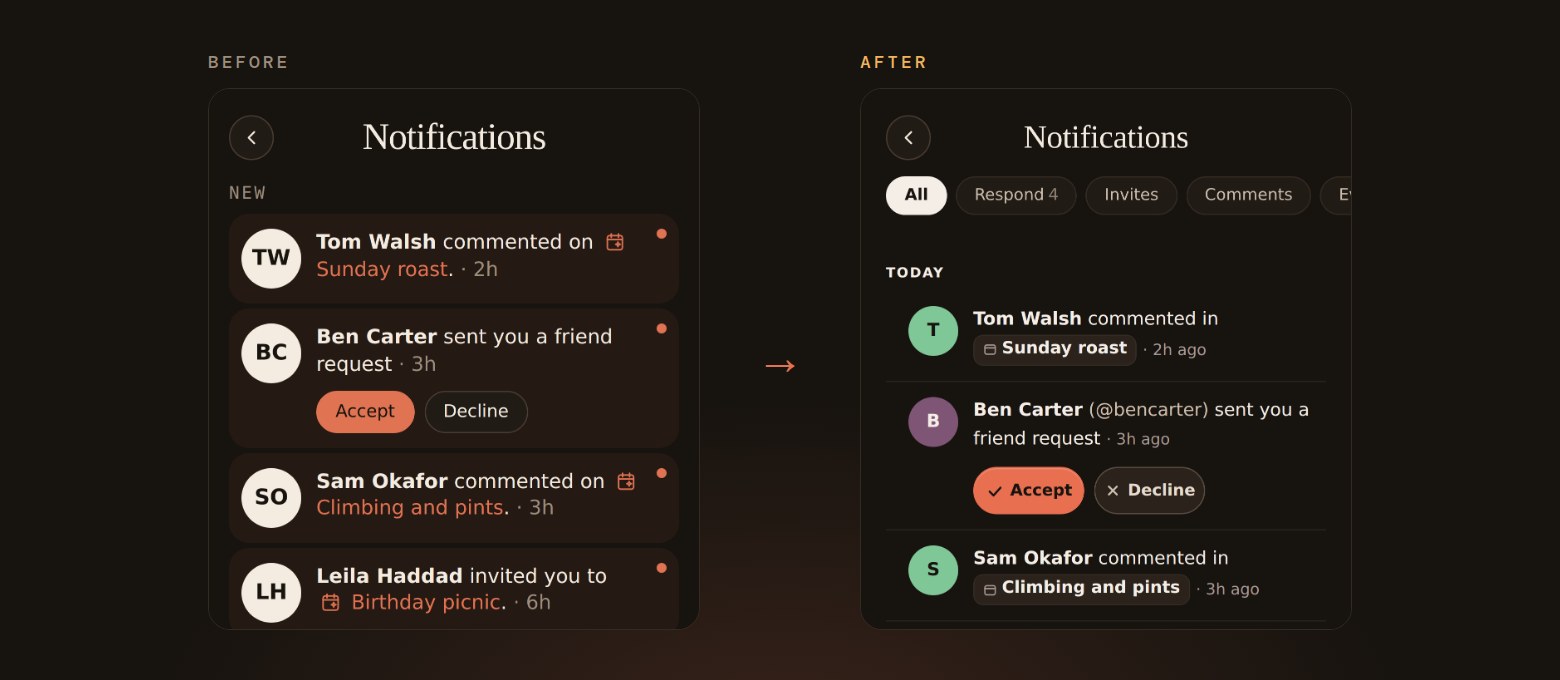
- Filters across the top (All, Respond, Invites, Comments) and notifications grouped by day, so it is easy to see what needs you.
- You can reply to invites, friend requests and requests to join your event right from the notification, without opening the event.
- Swipe a notification away to delete it, with a few seconds to undo, and everything is marked as read once you open the page.
02 Clearer event pages
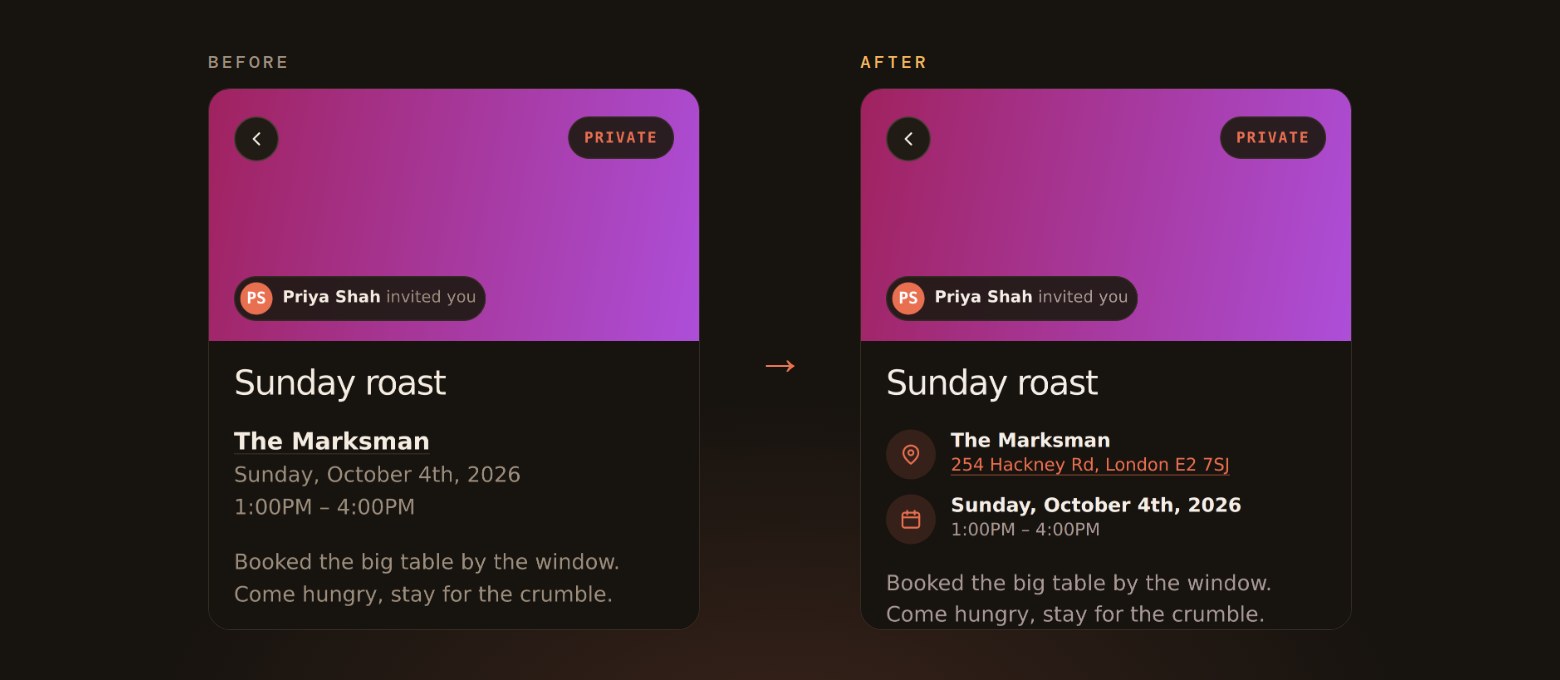
- The place and the date now sit in their own rows with icons, and a real address opens straight in your maps app.
- The guest list stays hidden until you reply, and guest counts now show guests only, not the hosts.
- Saying yes gets a small celebration, and you can add friends straight from an event’s guest list.
03 Your calendar, in sync
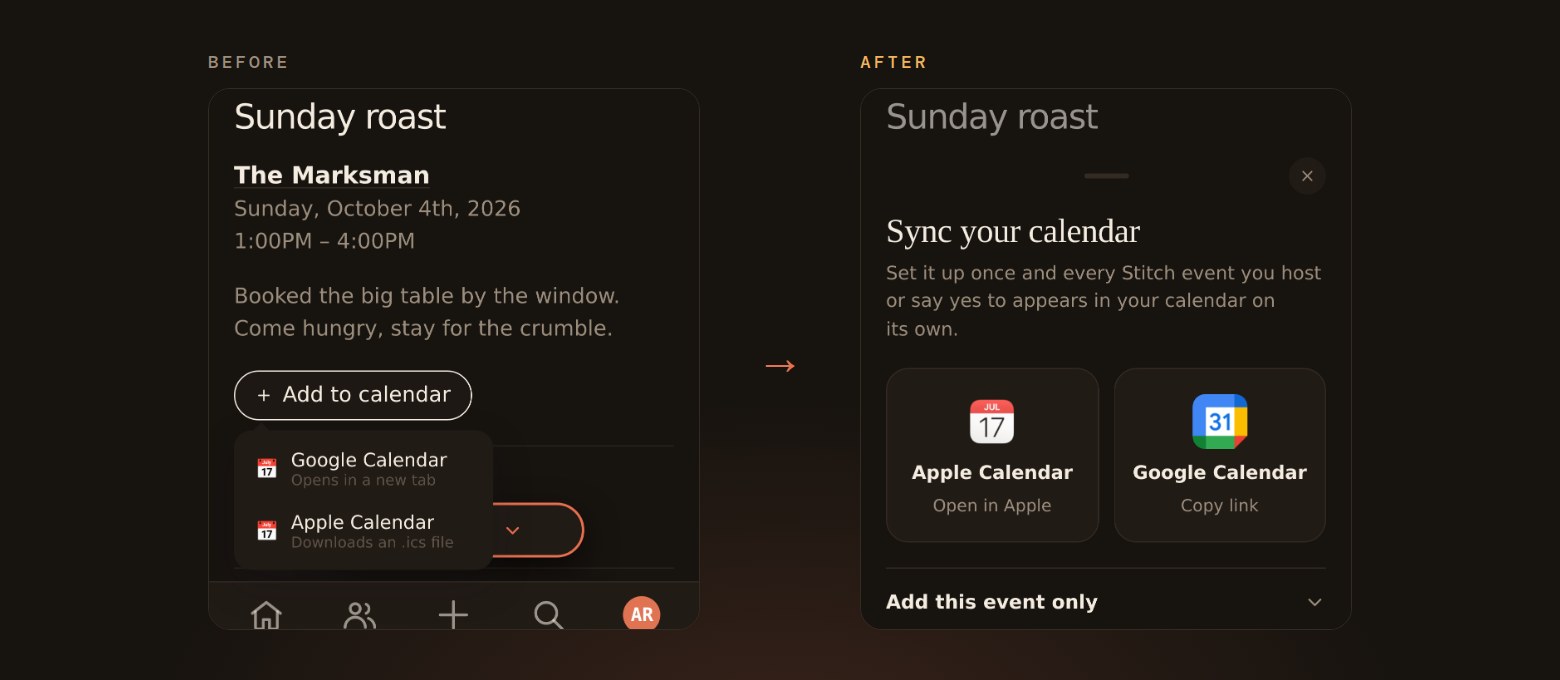
- Adding an event to your calendar now opens a proper sheet for Apple Calendar and Google Calendar, and the button sits right next to your RSVP.
- Calendar sync means you set it up once and every event you host or say yes to appears in your calendar on its own.
- Sync is rolling out to a small group first, and you can still add a single event whenever you like.
04 Planning together
- Pick a flyer for your event from a free photo library, browsing by Dinner, Drinks, Birthdays or Outdoors, or upload your own. Photographers get credited on the event.
- Mention friends in comments with @ so they get a notification.
- Date and time are now optional when you create an event, and hosts can suggest times in an availability poll, vote themselves and pick the final time from the results.
05 Look and feel
- Everyone without a profile photo now gets their own avatar colour, and it stays the same on every screen.
- Animations across the app were reworked to feel smoother, and the bottom bar no longer misbehaves when Stitch is saved to an iPhone home screen.
- Add Stitch to your home screen and it opens like an app, with a friendly page if you lose signal.
06 What we’re working on next
- A full redesign of the Stitch app and website, as we refine our branding and colour palette.
- Every screen in the app is getting the new look, starting with a home screen that groups your events by day and puts anything waiting on you at the top.
- The website is getting the same treatment, so Stitch looks and feels the same wherever you find it.