Week 3: Nailing Branding & Design
We’ve been refining the brand design and palette this week. The goal is to give the platform its own identity, while not overcrowding the organisations and community events we’ll eventually want to have on the platform.
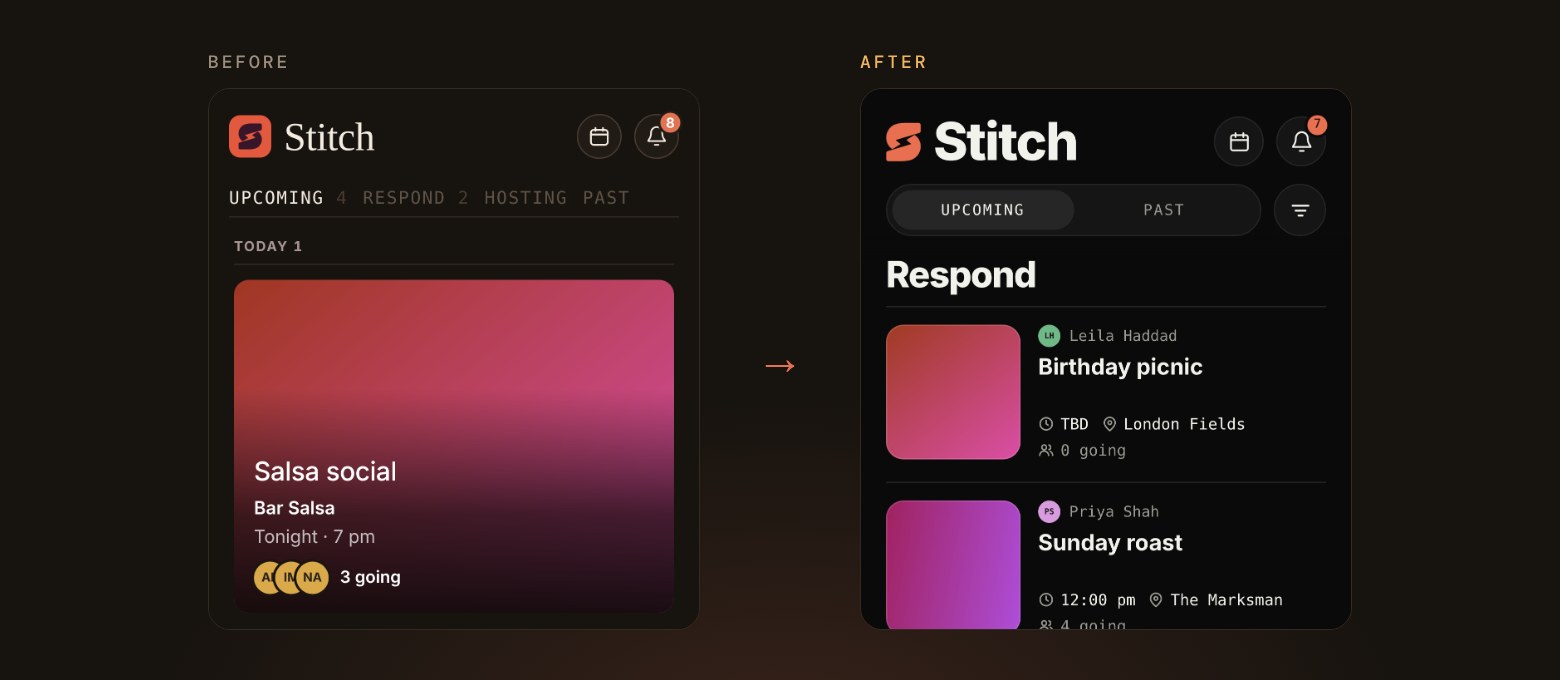
01 A brand-new home screen
- Your events are now grouped by day under simple Upcoming and Past tabs, and anything waiting on your reply sits at the top under Respond.
- A new filter menu and search help you find an event fast, and events you can’t make are tucked away unless you ask for them.
- The calendar view offers to create an event on any empty day, and the list moves smoothly as you change filters.
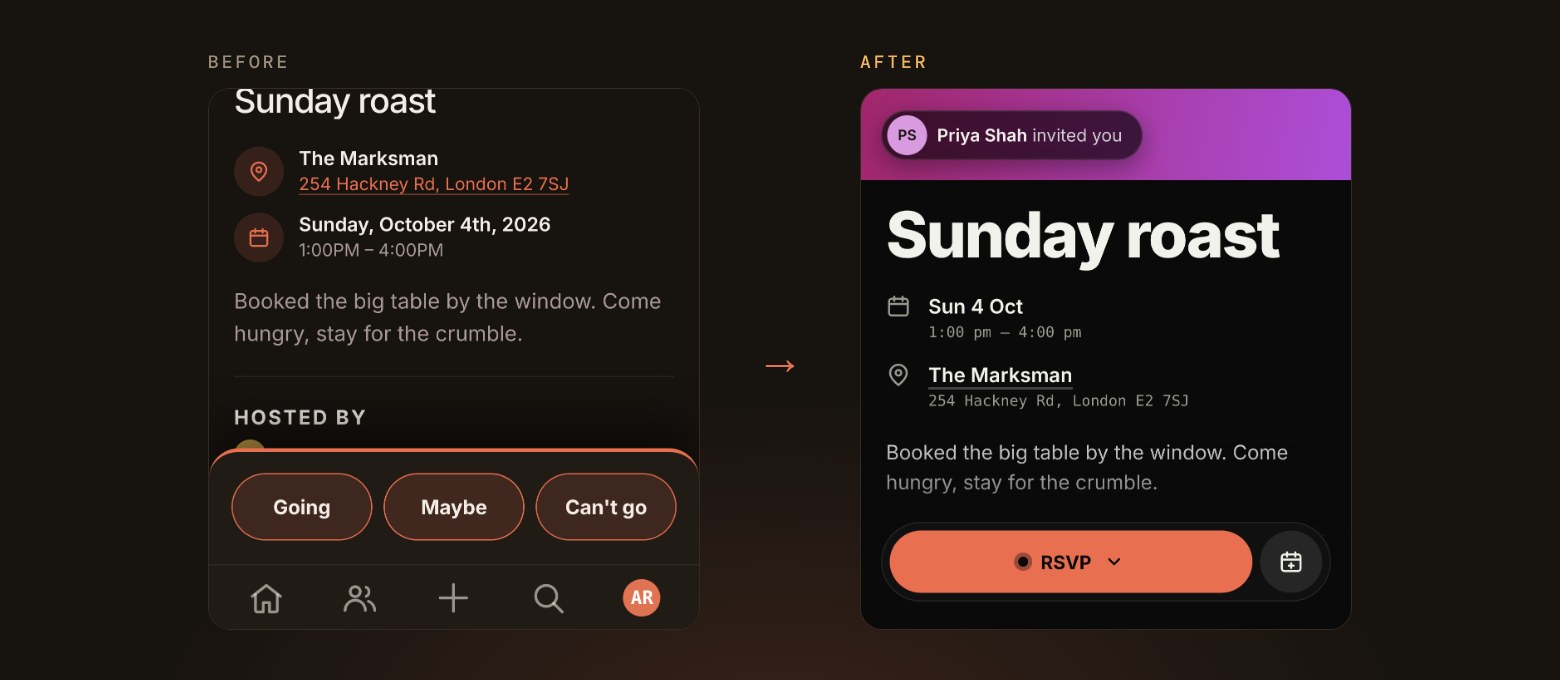
02 Event pages, rebuilt
- Event pages now open with a big flyer and a bold event name, with the date and place in clear rows underneath.
- Replying happens from one RSVP button that opens a sheet for your answer, any plus-ones and an optional note to the host.
- Hosts can choose how many plus-ones each guest can bring, and everyone going can see who is bringing a friend.
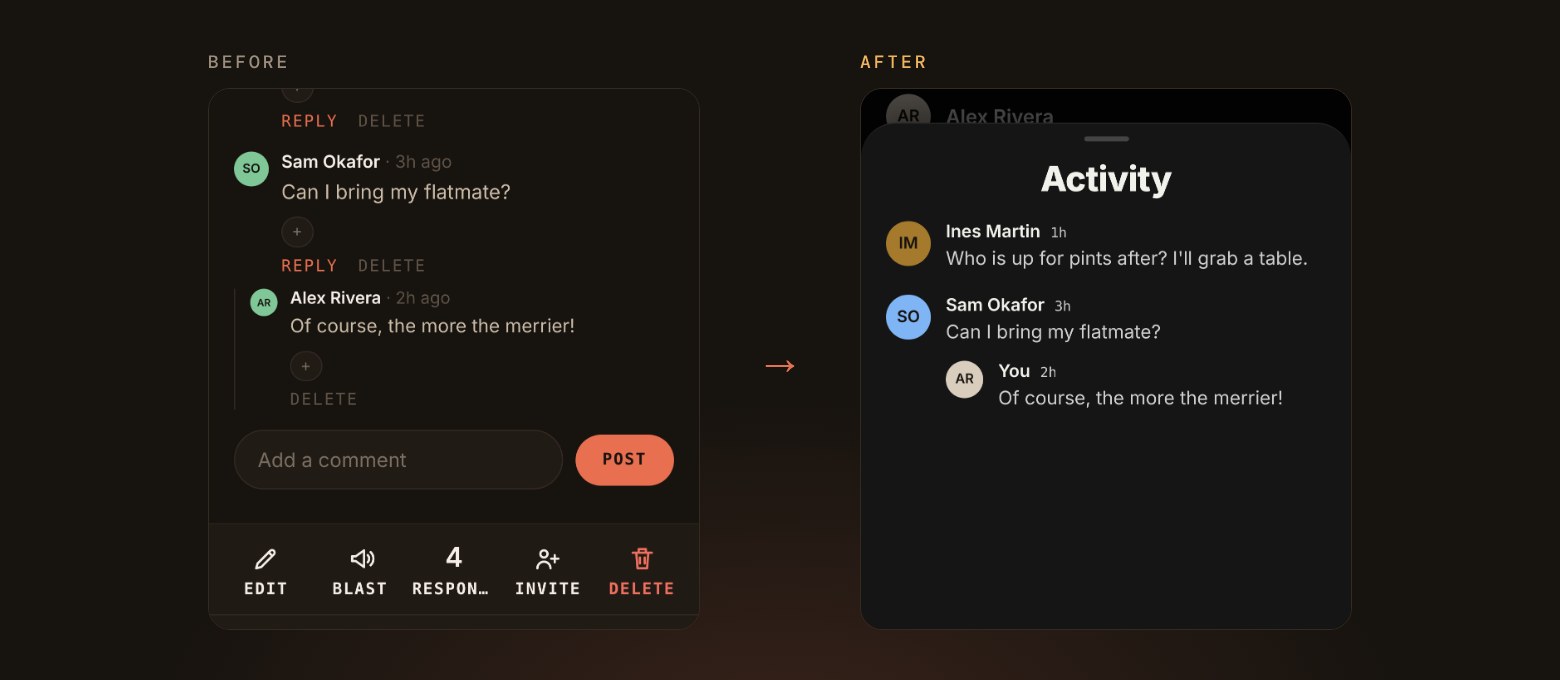
03 A better home for the conversation
- Comments show as a short preview on the event page and open into a full Activity sheet, newest first.
- Replies sit neatly under the comment they answer, and a long press brings up reactions and options.
- You can now leave more than one reaction on a comment.
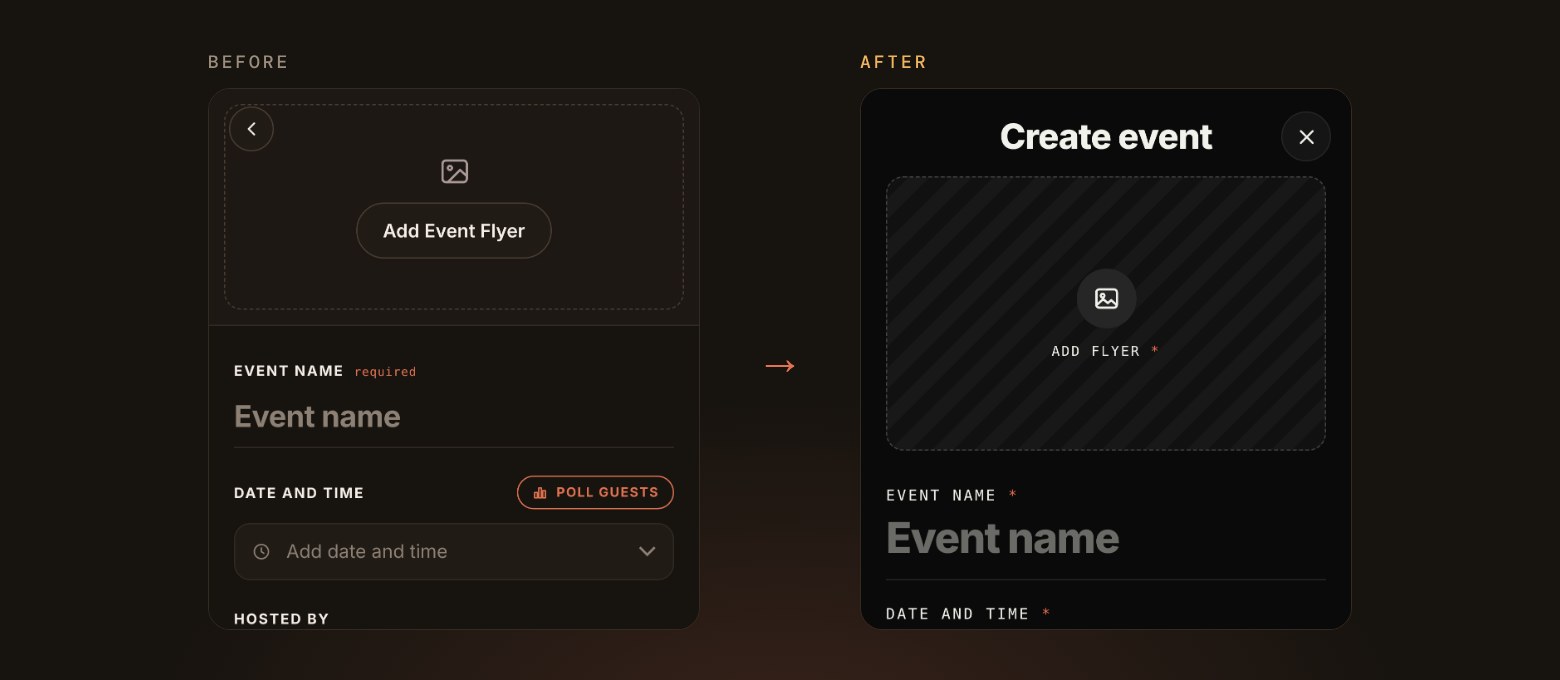
04 Creating an event
- The create screen has a fresh layout, with a big space for your flyer and room for your event name to stand out.
- A new full-screen date and time picker lets you set a start and an end, choose times in 15-minute steps and search for any time zone.
- Create only lights up once you have a flyer, a name and a date or a date poll, so nothing goes out half-finished.
05 Tidier notifications
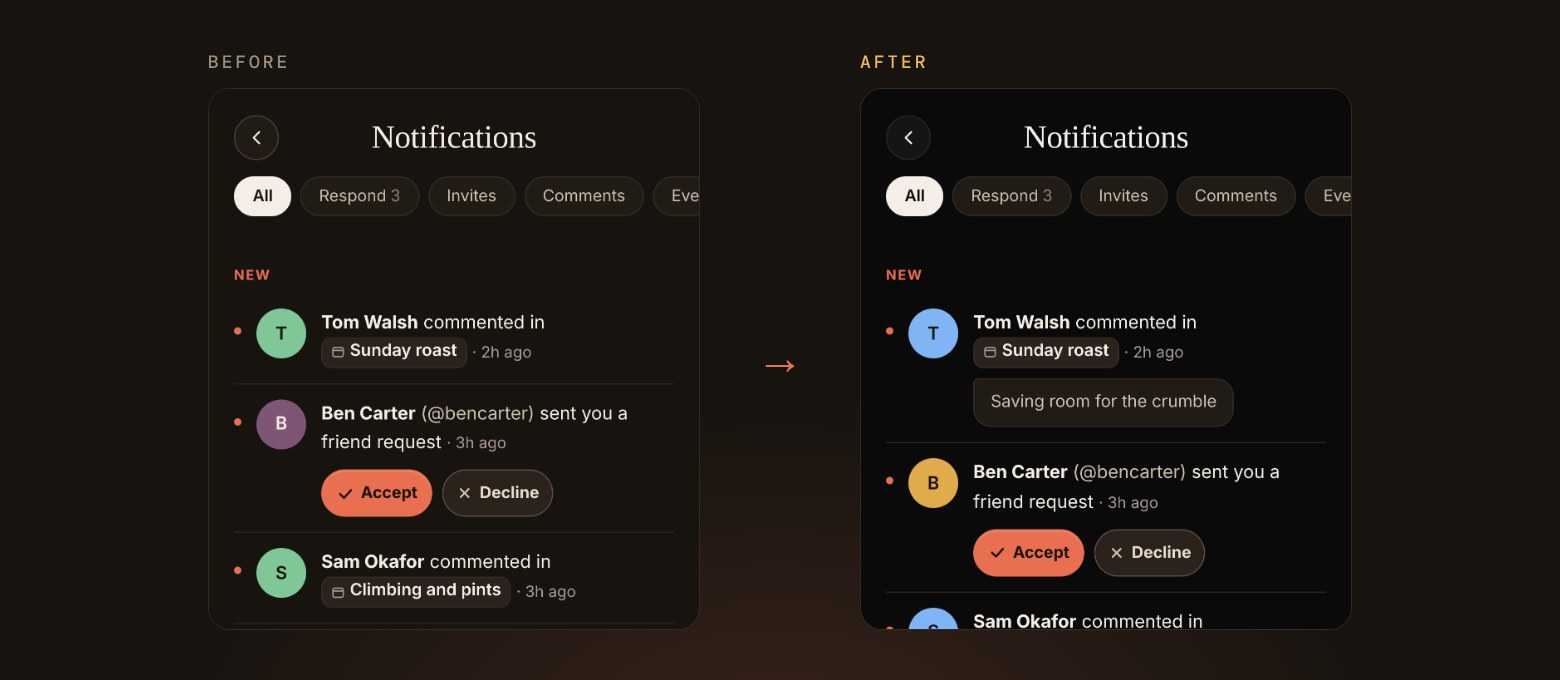
- Reactions, replies, RSVPs and poll answers on the same comment or event now roll up into one notification instead of many.
- Comment notifications show what was said, so you can catch up without opening the event.
- Hosts now hear when someone accepts their invitation to co-host.
06 What we’re working on next
- Bringing the new look to the rest of Stitch, starting with inviting friends and adding co-hosts.
- Photos and GIFs in event comments, and a way for hosts to add a few promo photos to their event page.
- Ticketed events, so hosts can sell tickets on Stitch, and easier ways for hosts to message all their guests at once.