Week 5: Tickets, Analytics, Payments
Ticketed events are here. Hosts can now sell tickets right in Stitch, and guests can buy them in a couple of taps. Groups, notifications and the week view on Home got a fresh look too.
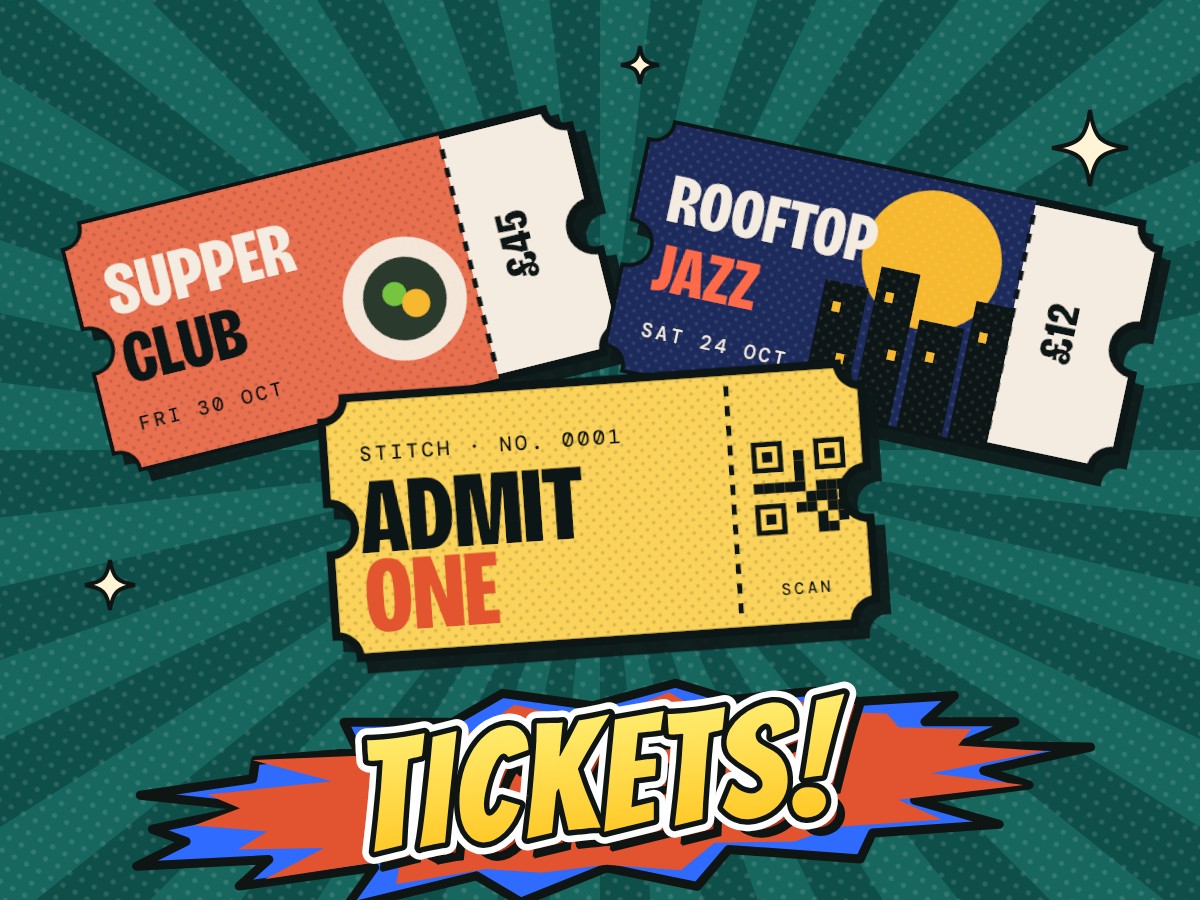
01 Ticketed events are live
- Hosts can switch Create event to Sell tickets and add as many ticket types as they like, free or paid.
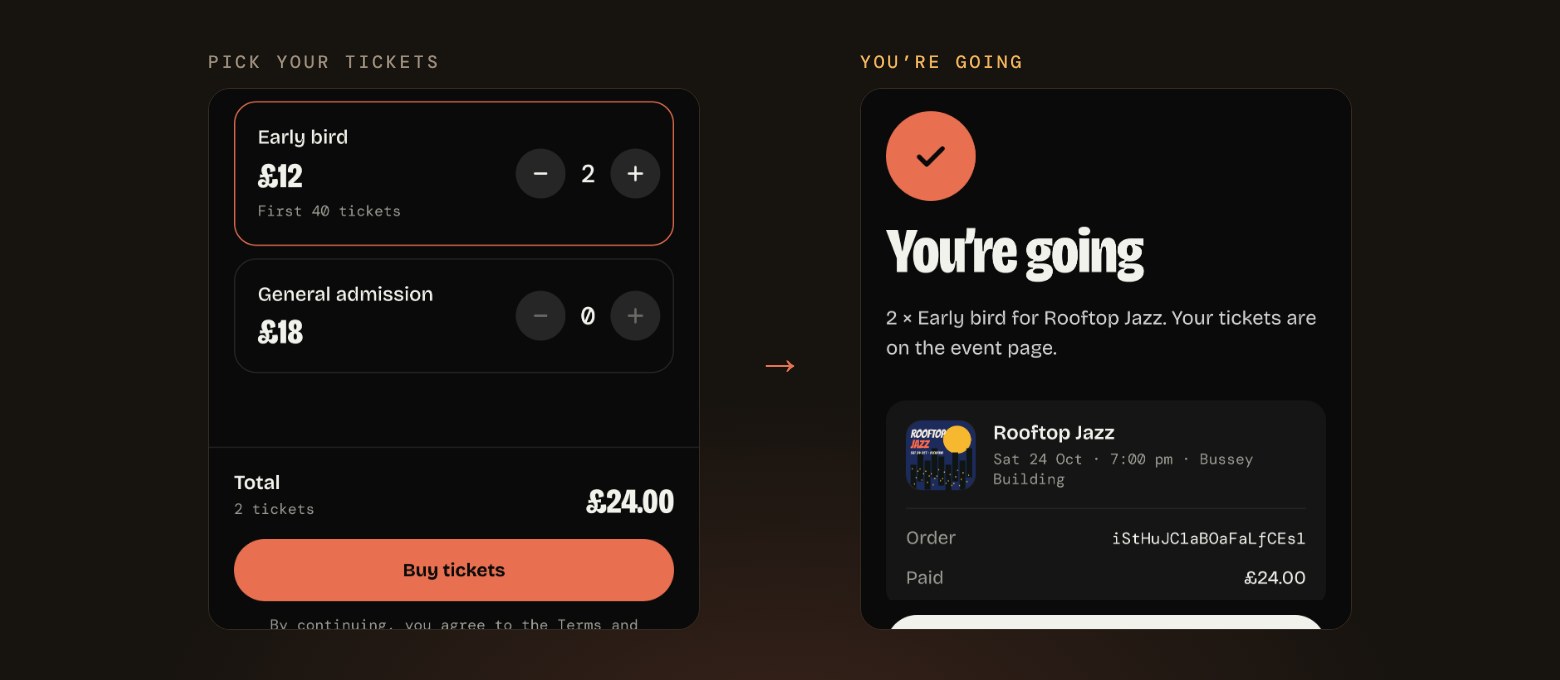
- Guests pick their tickets on one page and pay without leaving Stitch, with their tickets held while they check out.
- Once you have a ticket, you can see who else is going and join the event conversation.
02 Tools for hosts
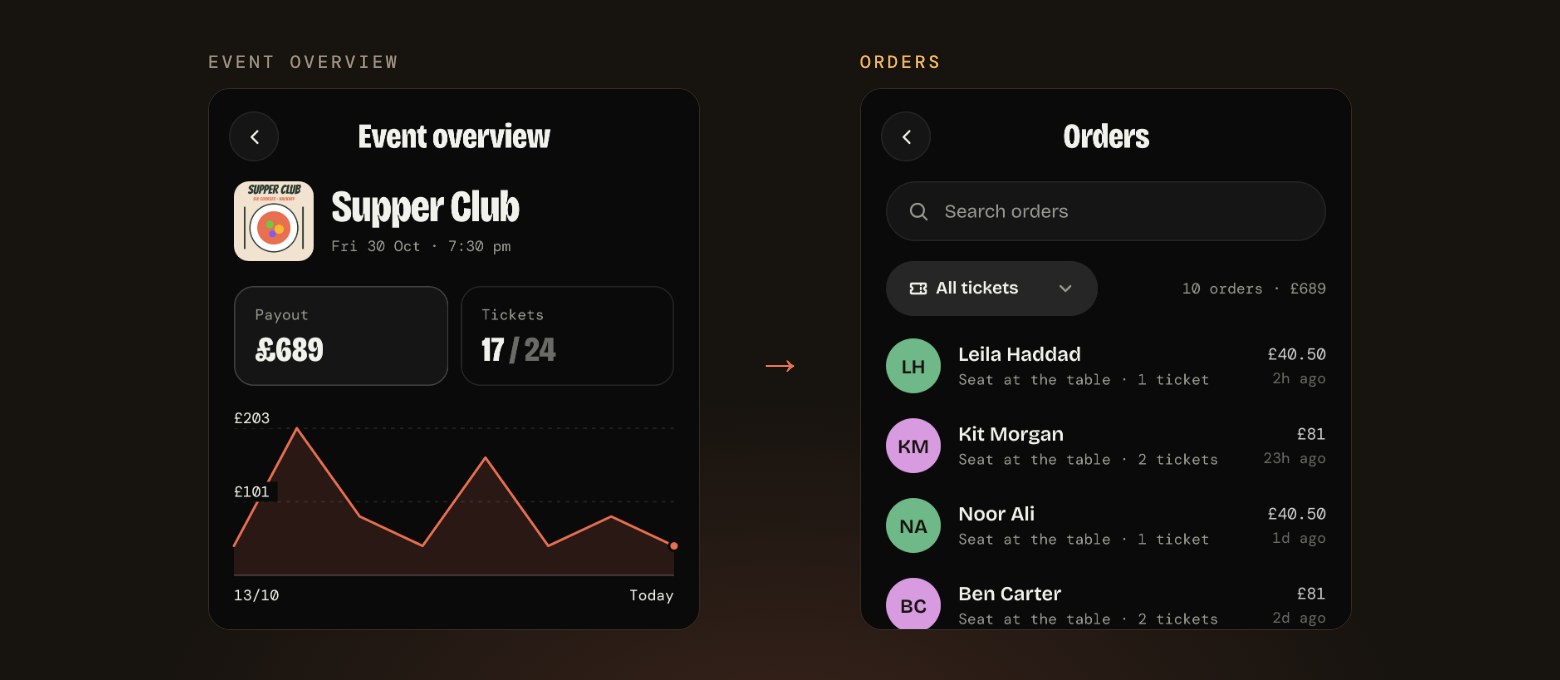
- A new Event overview shows your payout, tickets sold and how each ticket type is doing.
- You can search your orders, and pause or restart sales whenever you need to.
- Your ticketed events show up on Home with a sold count, so you can keep an eye on them at a glance.
03 Groups, redesigned
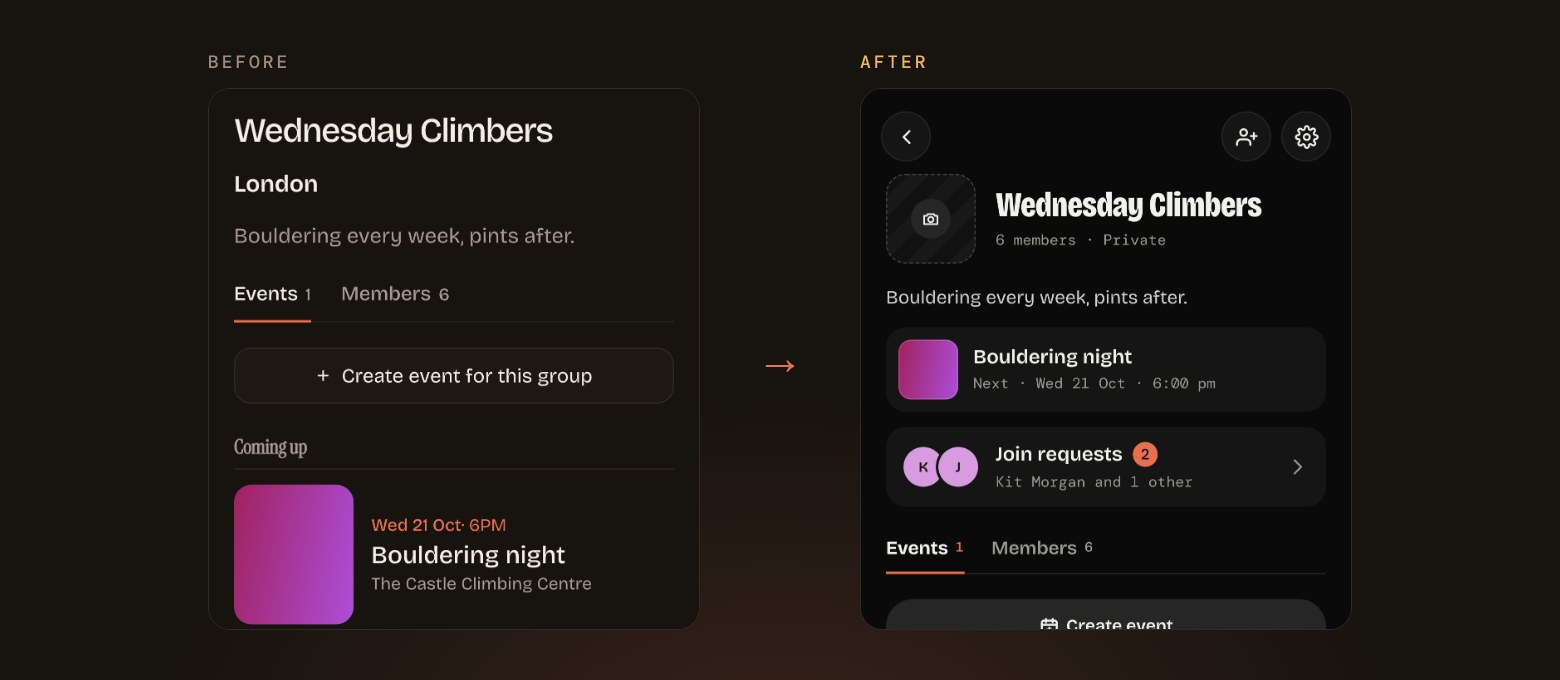
- Groups have a fresh look, with each group’s next event right at the top.
- You can now ask to join a group, and admins can accept or decline from a new Join requests page.
- Inviting people is now one tap away from the top of every group.
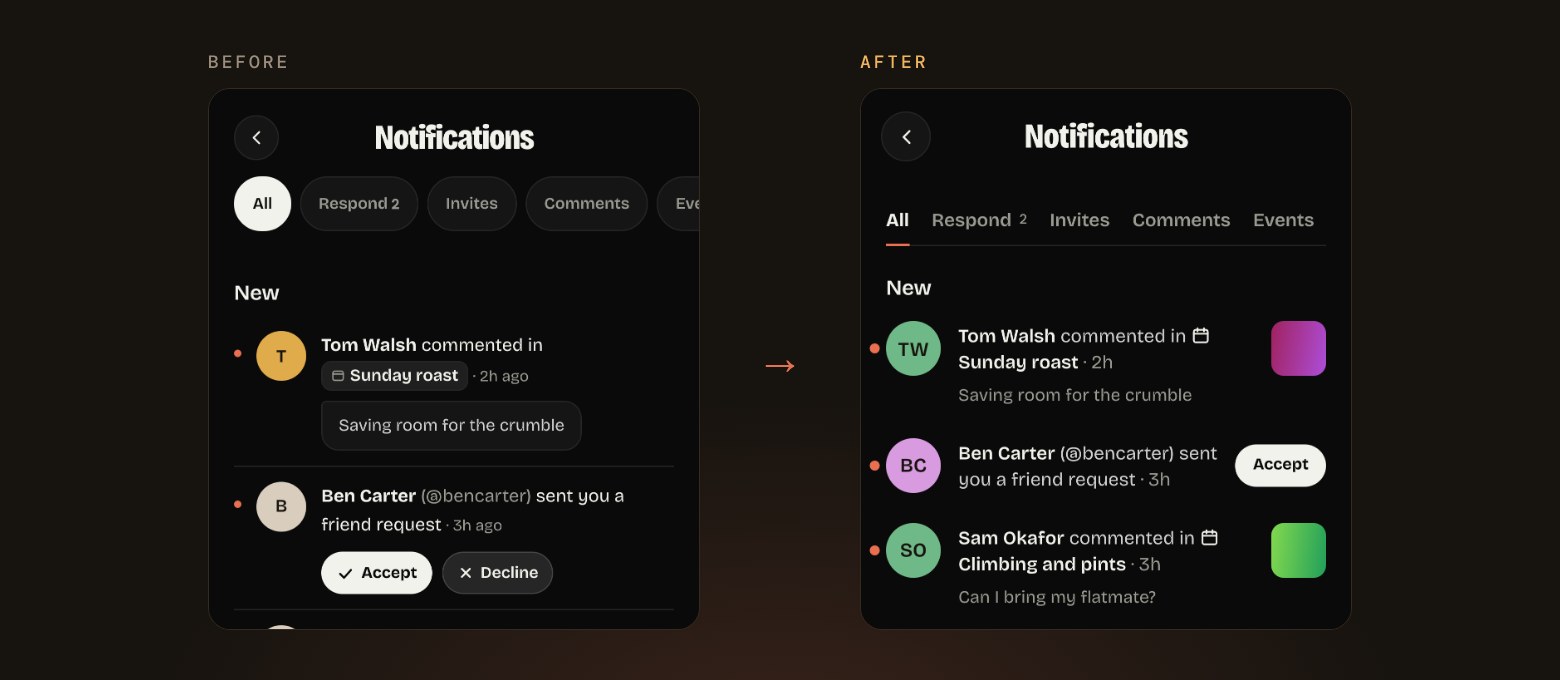
04 Notifications that are easier to scan
- Notifications have been rebuilt on the new design, with simple tabs to filter what you see.
- Group invites and requests to join are bundled together for each group, so a busy group doesn’t flood your list.
- You can accept a friend request straight from the notification.
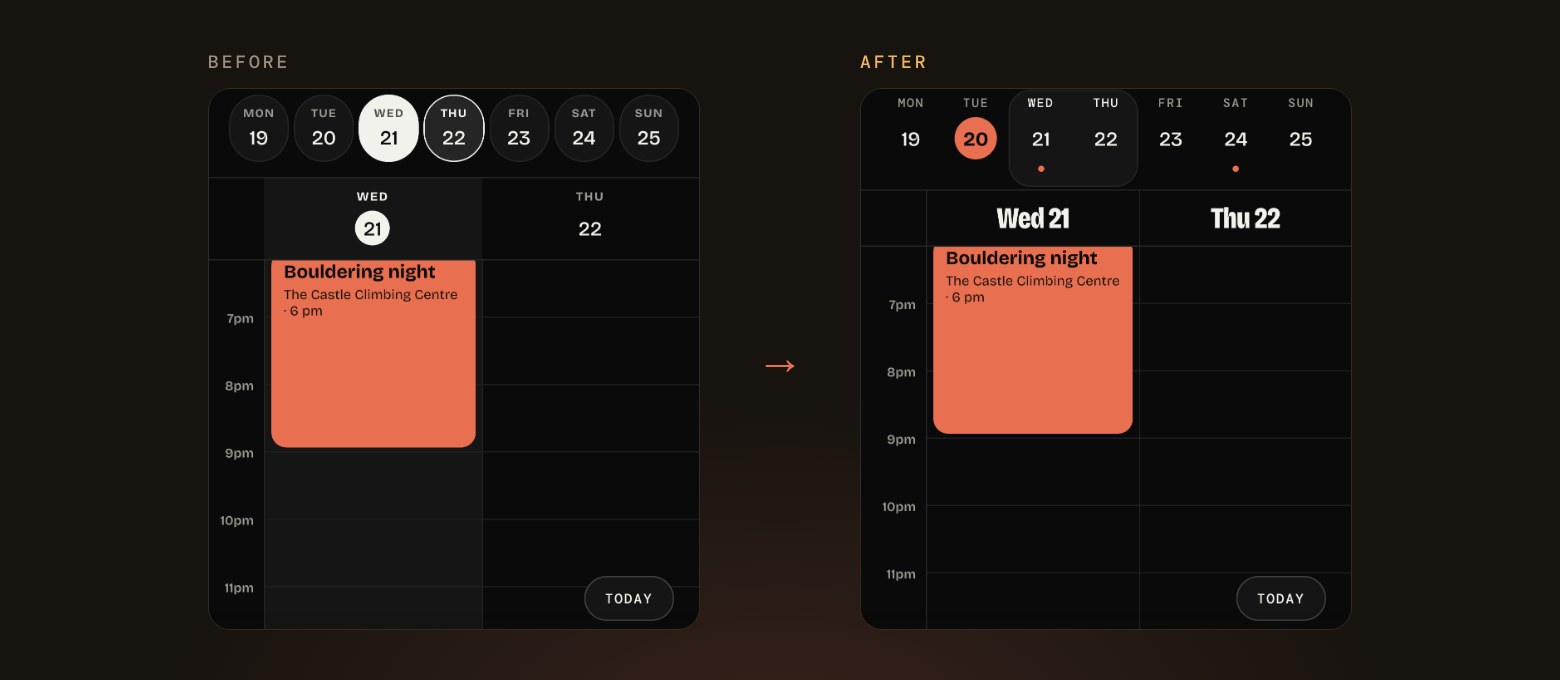
05 A handier week view
- Press and hold an empty slot in the week view to start a new event at that time.
- Press and hold an event you’re hosting to delete it straight from the calendar.
- Days with plans now show a dot, and switching between the list and the calendar feels smoother.
06 Little touches everywhere
- Every event page now has a Share button in the top corner.
- Event flyers now show in full as a square, so nothing gets cropped.
- Replying and reacting to comments is quicker, with replies folded neatly under each comment.
07 What we’re working on next
- Quick updates hosts can send to all their guests at once.
- More control for group owners, including handing a group over to someone else and choosing who approves new members.
- Photos and GIFs in event comments, and a way for guests to share their photos after the event.