Week 7: Event Photos and Post-Event Engagement
We’re continuously thinking about how to keep attendees coming back to the event after it’s over so we transition beyond a ticketing/invite system and into a social network. For now, we’re starting with image sharing.
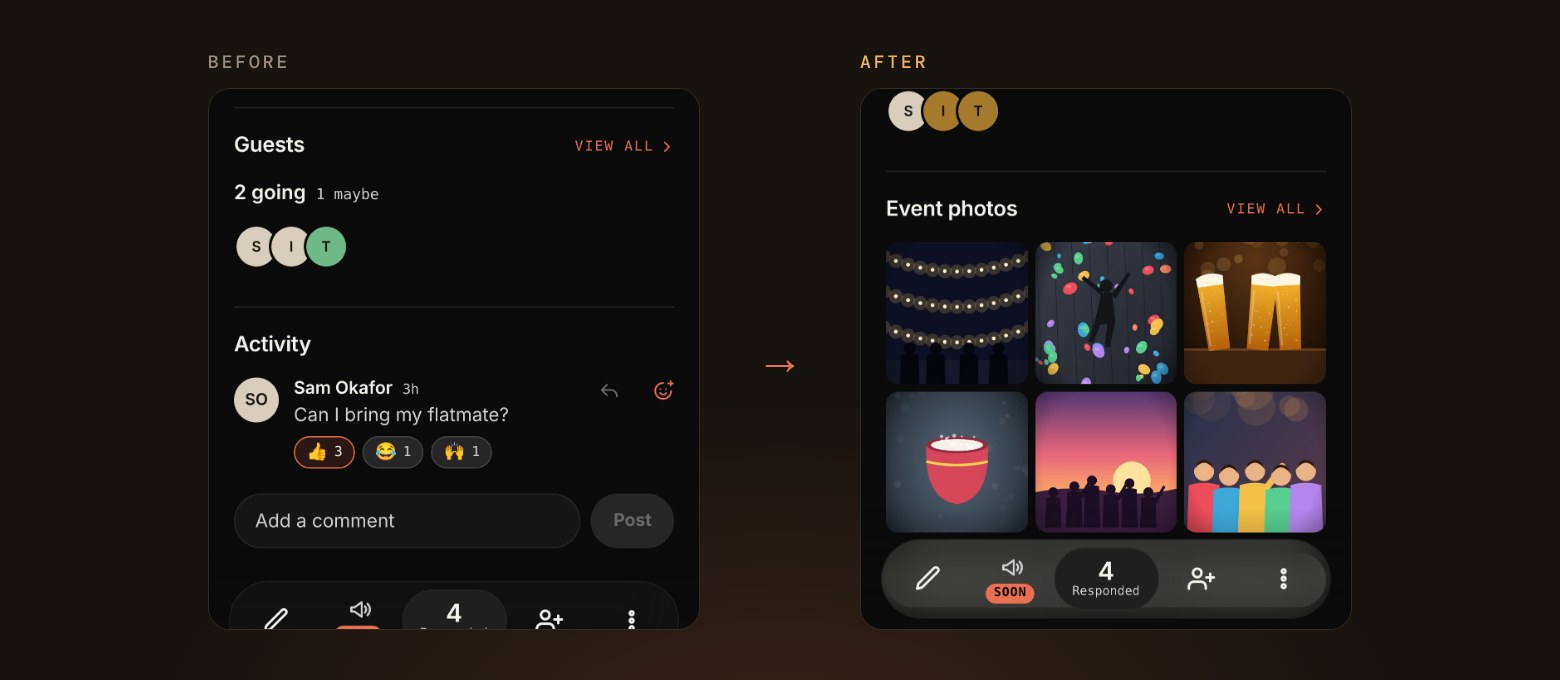
01 Share your photos
- Everyone at an event can now add their photos, and they show up in a grid right on the event page.
- Open the album to swipe through everyone’s photos full screen.
- Photos stay with the people who went, so anyone else just sees a blurred preview and how many there are.
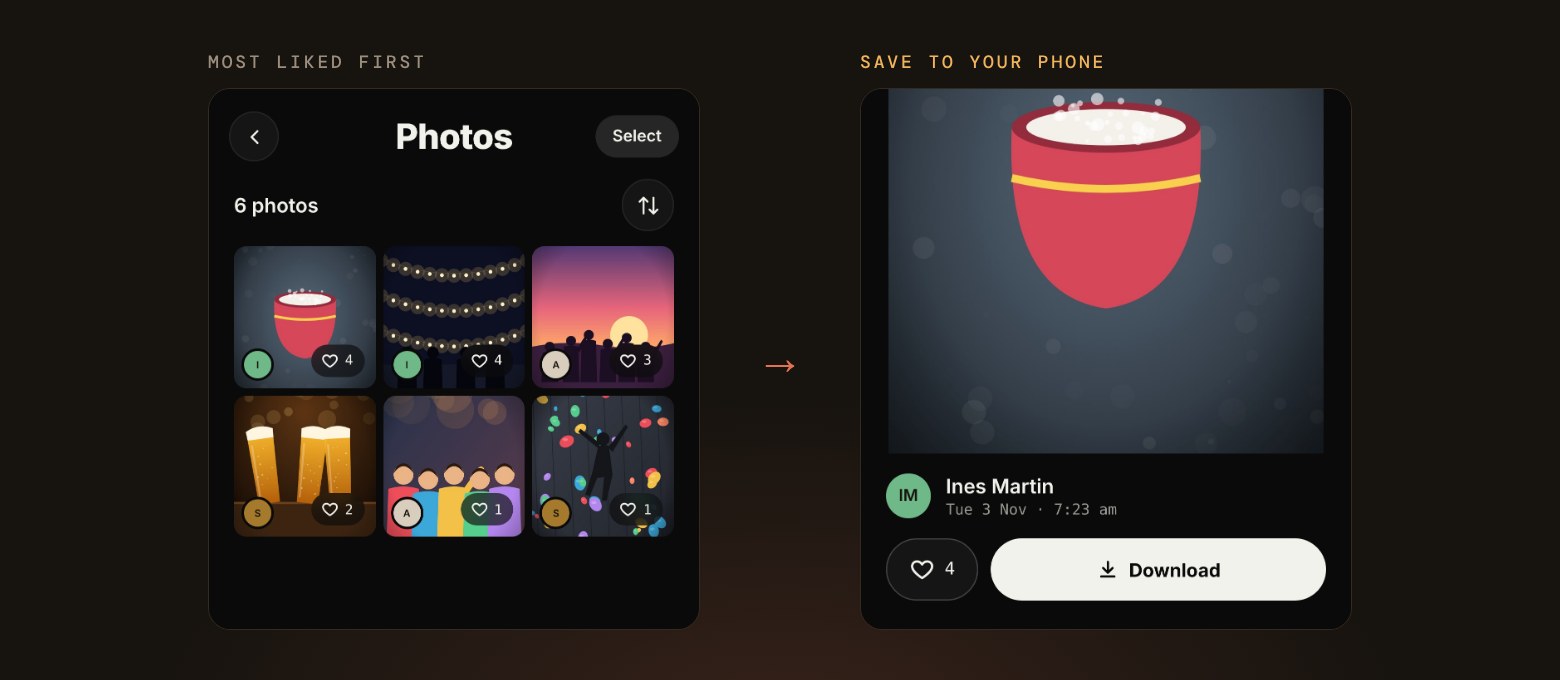
02 Like, Save, Download
- Tap the heart on any photo to like it.
- The most liked photos rise to the top of the album, so the best shots are the first thing you see.
- Tap Download on any photo to save it straight to your phone.
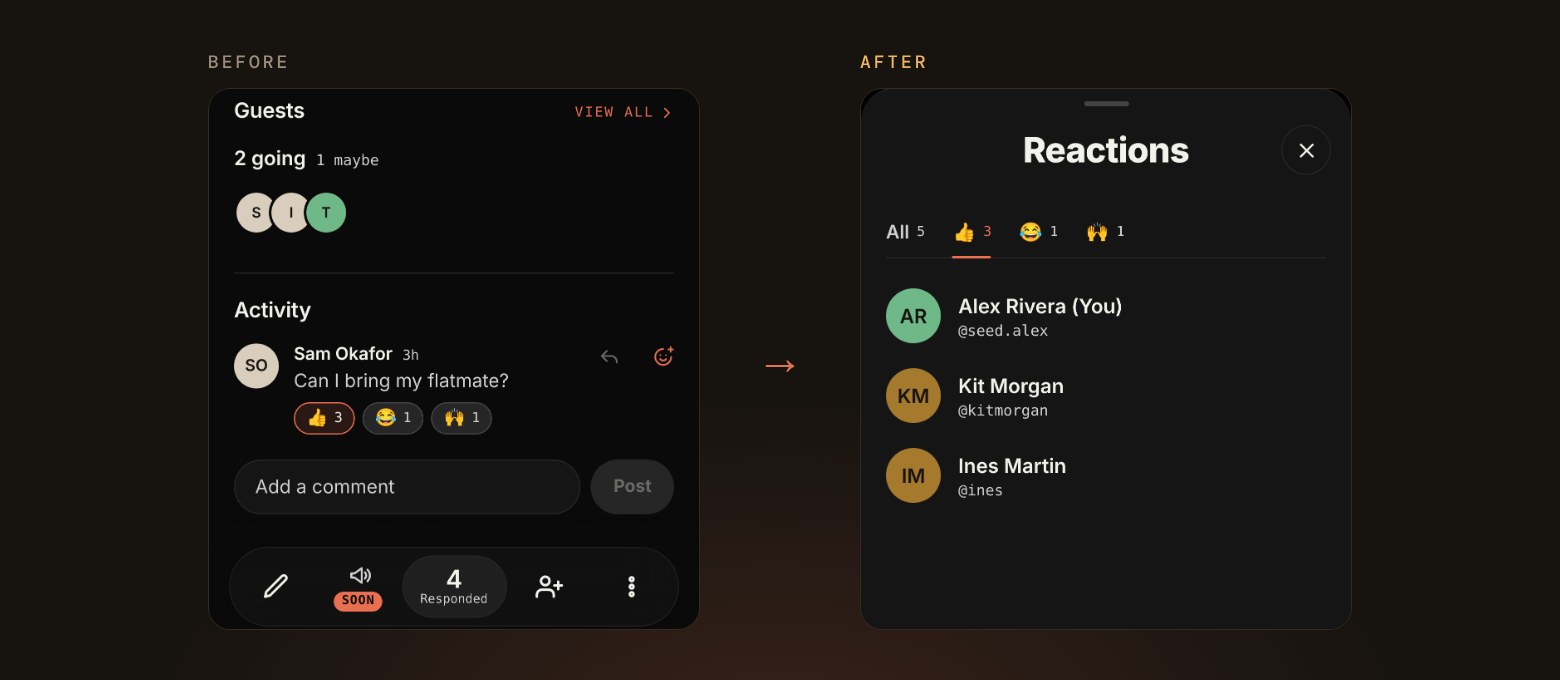
03 See who reacted
- Press and hold a reaction on a comment to see everyone who reacted, sorted by emoji.
- The same works on the heart in the photo viewer, so you can see who liked each photo.
04 Blasts
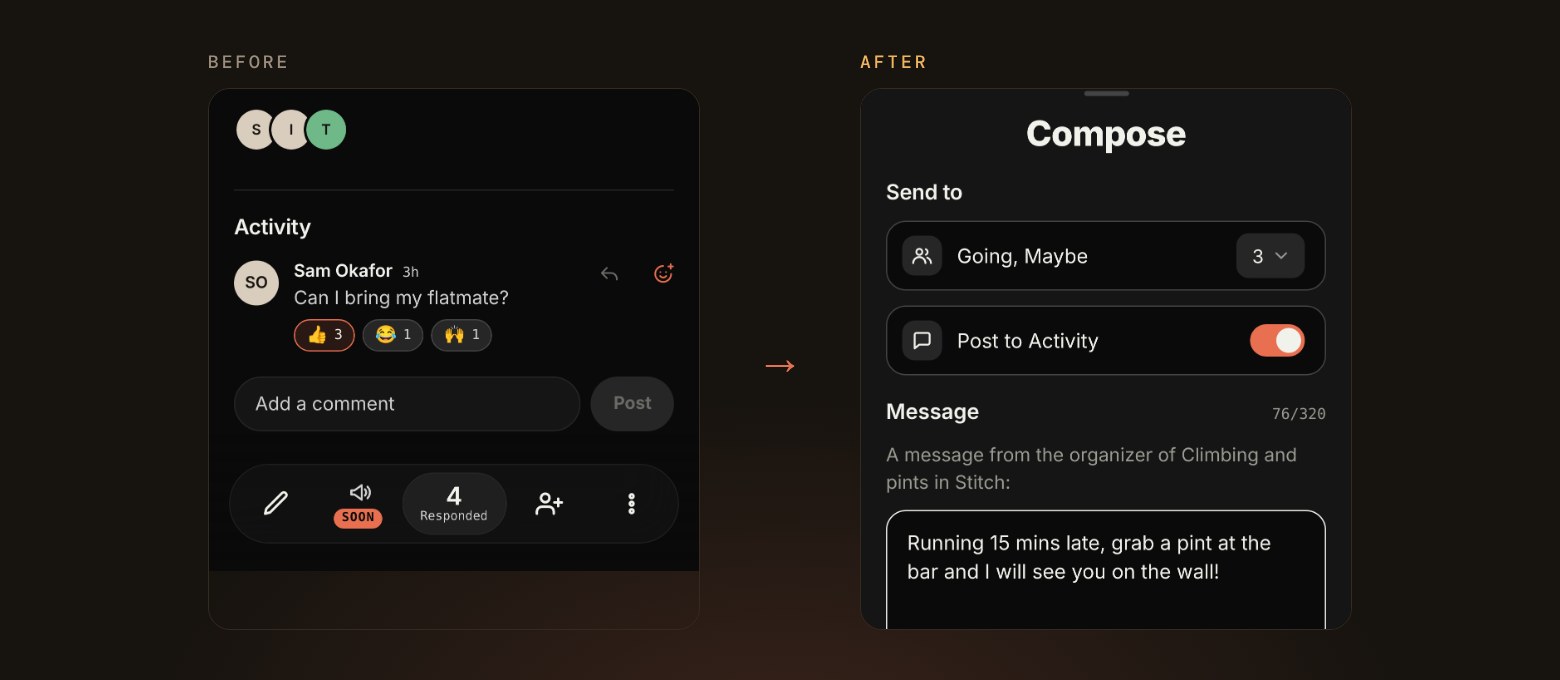
- Hosts can now send a blast, a quick text to everyone going, straight from the event page.
- Pick who gets it, and post it to Activity at the same time so it stays on the event.
- You can send up to 4 blasts per event, including one after it ends.
05 Payouts for ticketed events
- Hosts selling tickets can set up payouts from their profile settings, with a card that shows exactly where setup stands.
- Adding a paid ticket to a new event walks you through payouts before it goes live.
- Stitch doesn’t take a fee on ticket sales for now.
06 What we’re working on next
- Organizations, so a team can host events together with more than one admin.
- Photos and GIFs in event comments.
- A better Stitch on desktop.